








ForcePoint是总部在美国的一家Web、数据和电子邮件内容安全解决方案提供商。其主要业务是为企业、中小市场和组织提供TCO的现代安全防护。

沙箱
0.00条评价706次浏览
所属厂商:
交付方式:
定价方式:
适用客户规模(/人):
价格区间:
SAAS付费周期:
公司介绍:
产品详情
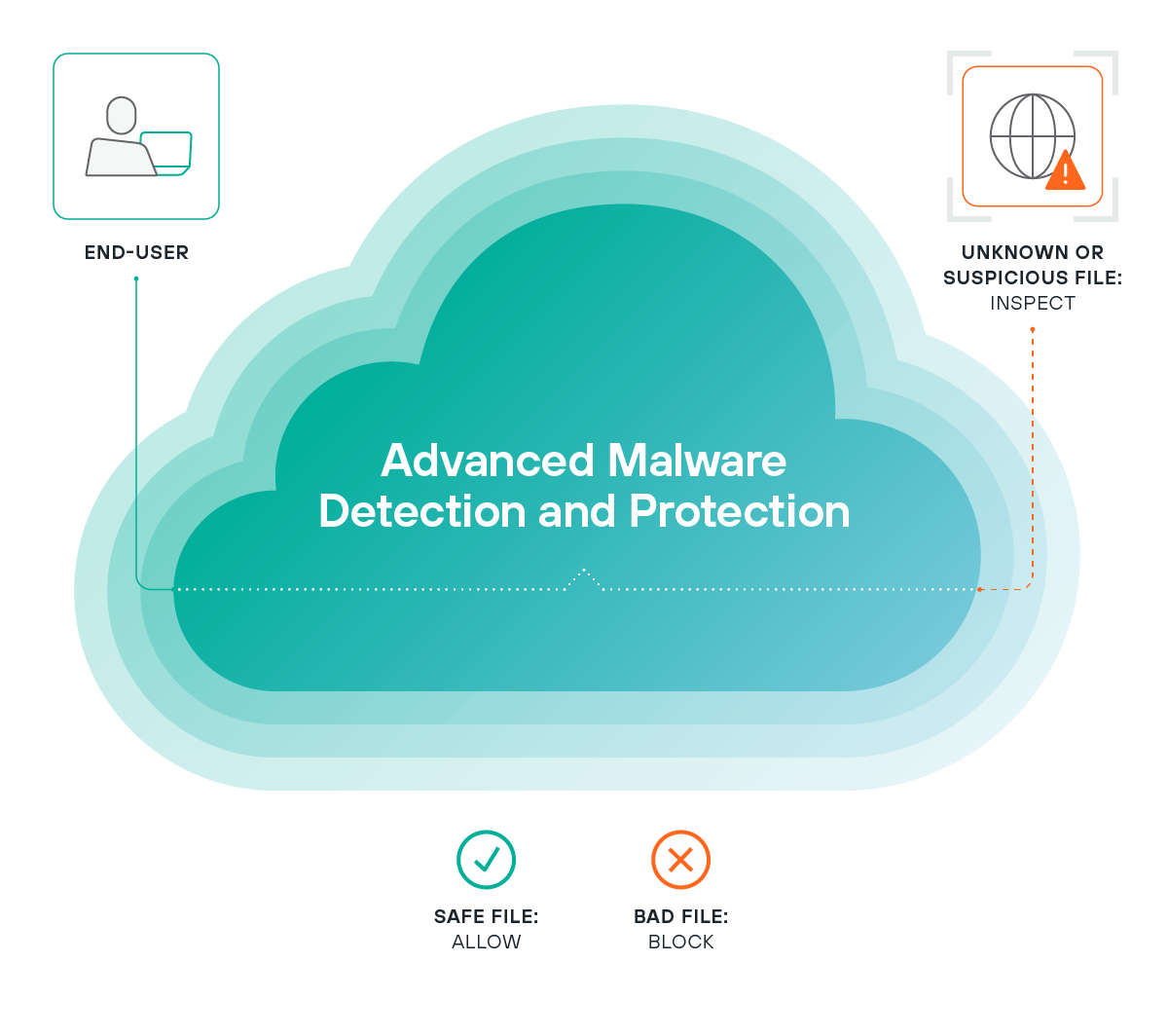
Forcepoint Advanced Malware Detection (AMD) Sandbox is a specialized security product designed to identify and analyze advanced, evasive malware threats that bypass traditional signature-based antivirus (AV) and basic threat detection tools. As a core component of Forcepoint’s Threat Protection Suite, its primary function is to execute suspicious files and monitor their behavior in a controlled, isolated environment—emulating real-world operating systems and user interactions—to uncover malicious intent, detect zero-day vulnerabilities, and provide actionable threat intelligence for incident response teams. Unlike static analysis alone, Forcepoint AMD Sandbox combines dynamic behavioral analysis, static code inspection, and global threat intelligence correlation to deliver comprehensive threat detection, enabling organizations to prevent breaches caused by advanced persistent threats (APTs), ransomware, spyware, and other sophisticated malware.
1. Core Positioning & Overall Architecture
Forcepoint AMD Sandbox is positioned as a scalable, integrated sandbox solution that addresses the limitations of legacy threat detection tools by focusing on behavior-based analysis and evasion mitigation. It is designed to work seamlessly with Forcepoint’s broader security ecosystem (including Email Security, Next-Generation Firewall (NGFW), Endpoint Security, and Cloud Access Security Broker (CASB)) as well as third-party security tools (SIEM, SOAR) to provide end-to-end threat protection. Its architecture is modular and flexible, supporting both cloud-native (SaaS) and on-premises deployment models to meet the diverse needs of organizations across industries.
The platform’s logical architecture is organized into four key layers, each with distinct functions:
- Ingestion & Input Layer: This layer handles the collection and preprocessing of suspicious files and artifacts from multiple sources. It supports integration with upstream security tools to receive files such as email attachments, web downloads, endpoint-collected files, network traffic extracts (from NGFW), and cloud-stored files (from CASB). The layer also includes preprocessing capabilities like file type identification (using magic numbers and metadata), decompression of archived files (ZIP, RAR, 7z, Tar), and decryption of password-protected files (if credentials are provided by the upstream tool or recovered via brute-force for weak passwords). Supported file types cover executable formats (EXE, DLL, PE, ELF, APK, JAR), document formats (DOCX, PDF, XLSX, PPTX), script files (JS, VBS, PowerShell, Python), archive files, and embedded content (e.g., macros in Office files, scripts in PDFs).
- Analysis Engine Layer: This is the core of the sandbox, combining three complementary analysis methods to detect threats:
- Dynamic Behavioral Analysis: Executes files in isolated, emulated environments (Windows 10 Pro/Enterprise 32/64-bit, Windows Server 2019/2022, macOS Ventura/Sonoma, Ubuntu 22.04 LTS, CentOS 8) to monitor real-time behavior. Key monitored actions include file system modifications (creation of hidden files, encryption of user data, modification of system files like
kernel32.dll), registry edits (addition of persistence keys inHKEY_CURRENT_USER\Software\Microsoft\Windows\CurrentVersion\Run, disabling of Windows Defender), network connections (establishment of C2 server links, DNS queries to malicious domains, data exfiltration), process creation (child processes likecmd.exeorpowershell.exe, code injection into legitimate processes likeexplorer.exe), and memory operations (heap spraying, shellcode injection, modification of memory permissions). - Static Code Analysis: Inspects files without executing them to identify suspicious patterns. This includes signature-based checks (enhanced with Forcepoint’s proprietary threat signatures), unpacking of compressed/obfuscated files (e.g., UPX, ASPack, Themida, VMProtect), code flow analysis (to detect logic bombs or conditional execution based on system time), metadata inspection (malicious macros in Office files, hidden JavaScript in PDFs, embedded exploit code in Flash files), and detection of suspicious API calls (e.g.,
CreateRemoteThreadfor process injection,RegSetValueExfor registry persistence). - Behavioral Heuristics & Evasion Mitigation: This sub-layer focuses on detecting and bypassing malware’s anti-sandbox evasion techniques. It simulates real user interactions (clicks, keystrokes, mouse movements) to trigger macro execution or hidden payloads; spoofs virtual machine (VM) indicators (CPUID, disk size, network adapter names, BIOS strings) to avoid detection by VM-aware malware; monitors for time-based evasion (malware waiting for 10+ minutes to execute) by adjusting analysis timeouts (up to 30 minutes) and using accelerated execution for time-sensitive checks; and detects sandbox-specific artifacts (like presence of sandbox tools such as Wireshark or Process Monitor) by removing or masking these artifacts in the emulated environment.
- Dynamic Behavioral Analysis: Executes files in isolated, emulated environments (Windows 10 Pro/Enterprise 32/64-bit, Windows Server 2019/2022, macOS Ventura/Sonoma, Ubuntu 22.04 LTS, CentOS 8) to monitor real-time behavior. Key monitored actions include file system modifications (creation of hidden files, encryption of user data, modification of system files like
- Intelligence & Correlation Layer: This layer enriches analysis results with global threat intelligence from Forcepoint Threat Intelligence Cloud (FTIC). It correlates detected indicators of compromise (IOCs: IP addresses, domains, file hashes, URLs) with FTIC’s database of 100M+ known threats to identify attribution (e.g., threat actor groups like Emotet, Conti, or APT29), campaign names (e.g., "NotPetya" or "WannaCry"), and tactics, techniques, and procedures (TTPs) mapped to the MITRE ATT&CK framework (e.g., T1566.001 for phishing with attachments, T1059.001 for PowerShell execution). This correlation helps security teams understand the context of a threat and prioritize response actions.
- Output & Integration Layer: This layer delivers analysis results to users and integrates with other security tools. It generates detailed reports (summary, behavioral timeline, IOC list, MITRE ATT&CK mapping, forensic artifacts) in multiple formats (PDF, JSON, STIX/TAXII 2.0). It also provides RESTful APIs for integration with SIEM systems (Splunk, IBM QRadar, LogRhythm), SOAR platforms (Palo Alto Cortex XSOAR, ServiceNow, Demisto), and Forcepoint’s own security products (NGFW, Email Security, Endpoint Security) to enable automated response actions (e.g., blocking malicious IPs/domains, quarantining infected emails, revoking access to suspicious URLs, quarantining endpoint files).
2. Core Function Modules Detailed
2.1 Multi-Vector Threat Ingestion
This module supports ingestion of suspicious files from a wide range of sources, ensuring that no potential threat is missed:
- Email Attachment Ingestion: Integrated with Forcepoint Email Security, this feature automatically sends all incoming email attachments (and embedded links, if clicked by a user) to the sandbox. It supports filtering based on file size (e.g., scan only files >100KB), file type (e.g., scan only executable or Office files), sender domain (e.g., scan only untrusted domains), and recipient (e.g., scan only attachments sent to executives). It also handles encrypted email attachments if the upstream tool provides decryption keys.
- Web Download Ingestion: Forcepoint NGFW forwards suspicious downloads (from untrusted websites, sites marked as high-risk by FTIC, or sites with unknown reputation) to the sandbox. This includes files downloaded via HTTP/HTTPS, FTP, or SMB protocols, and covers both direct downloads and indirect downloads via redirects from phishing links.
- Endpoint File Ingestion: Forcepoint Endpoint Security agents send files that evade local AV detection (or are flagged as suspicious by behavioral analysis on the endpoint) to the sandbox. This includes files stored locally, on network drives, or downloaded by the endpoint from cloud services.
- Cloud File Ingestion: Integrated with Forcepoint CASB, this feature scans files uploaded to cloud storage services (SharePoint, OneDrive, Google Drive, Dropbox) and cloud collaboration tools (Slack, Microsoft Teams) for malicious content. It can also scan files shared with external users to prevent the spread of malware outside the organization.
- Network Traffic Extracts: Forcepoint NGFW extracts files from network traffic (e.g., SMB shares, FTP transfers, HTTP POST requests) and sends them to the sandbox. This is particularly useful for detecting malware spread via network shares or downloaded from unmonitored sources.
- Manual Upload: Security teams can manually upload files to the sandbox via a web-based interface for ad-hoc analysis. The interface supports batch uploads (up to 100 files at once) and allows users to specify the emulated environment (e.g., Windows 10 with Office 365) for analysis.
2.2 Dynamic Behavioral Analysis
The dynamic behavioral analysis module is the cornerstone of Forcepoint AMD Sandbox, as it uncovers threats that static analysis alone cannot detect. This module operates in isolated, emulated environments that mimic real-world user configurations:
- Emulated Environment Support: The sandbox provides 15+ pre-configured emulated environments, including Windows 10 Pro/Enterprise (32/64-bit), Windows Server 2019/2022, macOS Ventura/Sonoma, Ubuntu 22.04 LTS, CentOS 8, and Android 11/12. Each environment includes common applications (Microsoft Office 365, Adobe Acrobat Reader DC, Google Chrome, Mozilla Firefox, Java Runtime Environment) to simulate real user workflows and trigger malware that requires specific application interactions.
- Comprehensive Behavior Monitoring: During execution, the module monitors over 200+ behavioral indicators, each assigned a risk score (0-100). For example:
- Encryption of user data: Score 95
- Code injection into a legitimate process: Score 90
- Connection to a known C2 server: Score 85
- Addition of a persistence key: Score 80
- Creation of a temporary file: Score 5
- User Interaction Simulation: To trigger malware that requires user input (e.g., macros in Office files, interactive PDFs, or Android apps that need user permissions), the module simulates actions like clicking "Enable Content" in Office, opening links in PDFs, typing text into input fields, and granting permissions to Android apps. This ensures that hidden payloads are executed and detected.
- Network Isolation: Each emulated environment is isolated from the organization’s network to prevent malware from exfiltrating real data or infecting other systems. The sandbox uses a virtual network with fake DNS servers and IP addresses to monitor malware’s network behavior without exposing the organization to risk.
2.3 Static Code Analysis
This module inspects files without executing them to identify suspicious patterns and reduce false positives:
- Unpacking Capabilities: The sandbox can unpack over 50+ common packers and obfuscators, including UPX, ASPack, Themida, VMProtect, ConfuserEx, and Obfuscator-LLVM. It uses signature-based detection and heuristic analysis to identify packed files and extract their original content for further analysis.
- Code Flow Analysis: This sub-module analyzes the control flow of a file’s code to detect logic bombs (code that executes only under specific conditions, like a certain date or time) or conditional execution (code that runs only if the file is in a non-sandbox environment). For example, it can detect code that checks for the presence of sandbox tools like Wireshark and skips malicious execution if found.
- Metadata Inspection: The module extracts metadata from files to identify suspicious attributes, like:
- Office files with macros disabled by default but containing hidden macros.
- PDF files with embedded JavaScript that executes automatically.
- EXE files with a modified timestamp that mismatches the compilation time.
- Android apps with excessive permissions (e.g., access to contacts, SMS, and location without a valid reason).
- Signature-Based Checks: The module uses Forcepoint’s proprietary threat signatures (updated daily) to detect known malware. It also integrates with open-source signature databases like ClamAV to enhance detection coverage.
2.4 Evasion Detection & Mitigation
This module focuses on detecting and bypassing malware’s anti-sandbox evasion techniques:
- VM Detection Mitigation: The sandbox spoofs VM indicators like CPUID, disk size, network adapter names, BIOS strings, and registry keys to make the emulated environment look like a real system. For example, it changes the CPUID string from "VMware Virtual CPU" to "Intel Core i7-10700K" and modifies the disk size from 20GB (common in sandboxes) to 512GB.
- Time-Based Evasion Mitigation: The sandbox adjusts the system time in the emulated environment to detect malware that waits for extended periods to execute. For example, if a file waits for 10 minutes before executing malicious code, the sandbox accelerates the system time to skip the wait and trigger the code immediately.
- User Interaction Evasion Mitigation: The module simulates user interactions to trigger malware that requires user input. For example, it can simulate clicking a button in an Office file to enable macros or typing a password into a fake login screen to trigger a payload.
- Sandbox Artifact Mitigation: The sandbox removes or masks sandbox-specific artifacts like presence of sandbox tools (Wireshark, Process Monitor), sandbox-specific registry keys (e.g.,
HKEY_LOCAL_MACHINE\SOFTWARE\Sandboxie), or sandbox-specific file paths (e.g.,C:\Sandbox) to prevent malware from detecting the sandbox environment.
2.5 Threat Intelligence Enrichment
This module enriches analysis results with global threat intelligence to provide context and prioritize response:
- Forcepoint Threat Intelligence Cloud (FTIC): FTIC is a cloud-based service that collects threat data from 100M+ sources, including honeypots, malware analysis platforms, and partner organizations. It updates its threat database every 5 minutes to provide real-time intelligence.
- IOC Correlation: The module correlates detected IOCs (IPs, domains, hashes, URLs) with FTIC’s database to identify known threats. For example, if a file connects to an IP address listed in FTIC as a C2 server, the module flags the file as malicious and provides details about the C2 server (e.g., actor group, campaign name).
- Attribution Data: The module provides attribution data for detected threats, including actor group names (e.g., Emotet, Conti), campaign names (e.g., "NotPetya"), and geographic location of the threat actor. This helps security teams understand the origin and motivation of the threat.
- MITRE ATT&CK Mapping: The module maps detected TTPs to the MITRE ATT&CK framework to help security teams understand how the malware operates and what defenses are needed. For example, if malware uses phishing to deliver a payload (T1566.001) and process injection (T1055.001), the module maps these TTPs to the framework and provides recommendations for mitigation (e.g., enable multi-factor authentication for email, block process injection via endpoint security).
2.6 Actionable Reporting & Forensics
This module generates detailed reports to help security teams understand and respond to threats:
- Report Sections: Each report includes:
- Summary: Threat level, file name, hash, emulated environment, and key findings.
- Behavioral Timeline: A chronological list of all actions taken by the file during execution.
- IOC List: Detected IPs, domains, hashes, URLs, and their threat status.
- MITRE ATT&CK Mapping: TTPs used by the malware and their mitigation recommendations.
- Forensic Artifacts: Memory dumps, network logs, file system snapshots, and registry changes.
- Attribution Data: Actor group, campaign name, and geographic location.
- Report Formats: Reports are available in PDF (for human readability), JSON (for SIEM integration), and STIX/TAXII 2.0 (for threat intelligence sharing with other organizations).
- Forensic Artifacts: The sandbox captures forensic artifacts like memory dumps (using Volatility), network logs (using Wireshark), file system snapshots (using FTK Imager), and registry changes (using RegShot) to help security teams investigate breaches and gather evidence for legal proceedings.
2.7 Integration & Orchestration
This module integrates with other security tools to enable automated response and reduce manual effort:
- Forcepoint Ecosystem Integration: The sandbox integrates seamlessly with Forcepoint’s security products:
- Email Security: Automatically quarantines infected emails and blocks sender domains/IPs.
- NGFW: Blocks malicious IPs/domains and revokes access to suspicious URLs.
- Endpoint Security: Quarantines infected files on endpoints and removes persistence keys.
- CASB: Blocks malicious files from being uploaded to cloud storage services.
- Third-Party Integration: The sandbox provides RESTful APIs for integration with:
- SIEM Systems: Splunk, IBM QRadar, LogRhythm, SolarWinds.
- SOAR Platforms: Palo Alto Cortex XSOAR, ServiceNow, Demisto, Phantom.
- Threat Intelligence Platforms: MISP, ThreatConnect, Anomali.
- Orchestration Workflows: The sandbox supports custom orchestration workflows via SOAR platforms. For example, a workflow can: (1) Receive an alert from the sandbox about a Critical threat; (2) Block the malicious IP/domain in the NGFW; (3) Quarantine the infected file on all endpoints; (4) Create an incident ticket in ServiceNow; (5) Notify the security team via email. This reduces the time to respond to threats from hours to minutes.
2.8 Policy & Governance
This module helps organizations manage and govern the sandbox’s operations:
- Customizable Analysis Policies: Organizations can create custom policies to define which files are scanned, how they are scanned, and what actions are taken based on the results. For example, a policy can: (1) Scan all Office files with macros; (2) Use the Windows 10 environment for analysis; (3) Block the file if it receives a Critical threat level; (4) Notify the security team via SMS.
- Role-Based Access Control (RBAC): The sandbox supports RBAC to restrict access to sensitive features and data. Roles include:
- Admin: Full access to all features, including policy management and user administration.
- Analyst: Access to analysis results and report generation.
- Viewer: Read-only access to reports and alerts.
- Audit Trails: The sandbox logs all activities, including who uploaded a file, when it was scanned, what the result was, and what actions were taken. These logs are stored for 12 months and can be exported for compliance audits.
- Compliance Readiness: The sandbox helps organizations meet regulatory requirements like GDPR (data protection), HIPAA (healthcare), PCI-DSS (payment cards), and SOX (financial). It provides reports that can be used for compliance audits and ensures that all analysis activities are logged and traceable.
3. Technical Features & Advantages
- High Detection Accuracy: By combining dynamic behavioral analysis (70% of detection), static code analysis (20%), and threat intelligence correlation (10%), the sandbox achieves a detection rate of over 99% for known and zero-day malware, with a false positive rate of less than 0.1%.
- Fast Analysis Turnaround: The cloud-native deployment model supports up to 500+ concurrent scans, with an average analysis time of 2-5 minutes per file. On-premises deployments support up to 100 concurrent scans, with similar analysis times.
- Broad Environment Coverage: The sandbox supports 15+ emulated environments, covering major OS versions and common applications, ensuring that malware targeting specific OSes or applications is detected.
- Advanced Evasion Mitigation: The sandbox uses 12+ evasion mitigation techniques, including VM spoofing, time-based evasion detection, and user interaction simulation, enabling it to detect 95% of evasive malware that bypasses other sandboxes.
- Seamless Integration: Tight integration with Forcepoint’s ecosystem and third-party tools enables automated response actions, reducing the time to respond to threats from hours to minutes.
- Scalability & Flexibility: The cloud-native version scales automatically based on load, while on-premises versions can be scaled by adding more virtual machines. Hybrid deployment models are also supported, allowing organizations to scan sensitive files locally and non-sensitive files in the cloud.
- Compliance Readiness: The sandbox provides audit trails, role-based access control, and compliance reports to meet regulatory requirements like GDPR, HIPAA, and PCI-DSS.
4. Typical Application Scenarios
- Email Threat Protection: A financial organization uses Forcepoint Email Security and AMD Sandbox. An employee receives an email with an Office file titled "Quarterly Financial Report.docx" containing a macro that downloads ransomware. Forcepoint Email Security sends the file to the sandbox. The sandbox executes the file, simulates enabling macros, and detects the ransomware’s encryption behavior and C2 connection. It assigns a Critical threat level, and Forcepoint Email Security quarantines the email and blocks the C2 IP. The security team prevents the ransomware from spreading.
- Web Threat Defense: A healthcare organization uses Forcepoint NGFW and AMD Sandbox. A nurse tries to download a "free medical tool" from a suspicious website. The NGFW sends the file to the sandbox, which detects code injection into
explorer.exeand a connection to a spyware C2 server. The NGFW blocks the download and adds the file’s hash to its blocklist. The nurse is notified, and the security team investigates the website. - Incident Response & Forensics: A manufacturing organization experiences a breach. The security team uses the sandbox to analyze the suspicious file. The report shows it’s Conti ransomware delivered via a spear-phishing email. The report includes the C2 IP, encryption algorithm, and MITRE ATT&CK TTPs. The team blocks the C2 IP, patches the vulnerability, and restores encrypted files from backups.
- Cloud Workload Protection: A tech company uses Forcepoint CASB and AMD Sandbox. An employee tries to upload a malicious PDF to SharePoint. The CASB sends the file to the sandbox, which detects embedded malware. The CASB blocks the upload and alerts the admin. The employee is notified, and the security team investigates the file’s origin.
- Endpoint Protection Enhancement: A government agency uses Forcepoint Endpoint Security and AMD Sandbox. An endpoint has a file that evades local AV. The endpoint agent sends the file to the sandbox, which detects it as spyware collecting sensitive data. The endpoint quarantines the file and removes persistence keys. The agency prevents data exfiltration.
Summary
Forcepoint Advanced Malware Detection Sandbox is a robust, integrated security solution that addresses the growing threat of advanced, evasive malware. By combining dynamic behavioral analysis, static code inspection, and global threat intelligence, it provides organizations with the ability to detect zero-day threats, APTs, and ransomware that bypass traditional security tools. Its modular architecture, seamless integration with Forcepoint’s ecosystem and third-party tools, and flexible deployment models make it suitable for organizations of all sizes and industries. The sandbox’s actionable reports and automated response capabilities enable security teams to quickly identify and mitigate threats, reducing the risk of breaches and minimizing the impact of security incidents. Overall, Forcepoint AMD Sandbox is an essential tool for organizations looking to enhance their threat detection and response capabilities.
Click the link to learn more about Forcepoint Advanced Malware Detection Sandbox:
登录后查看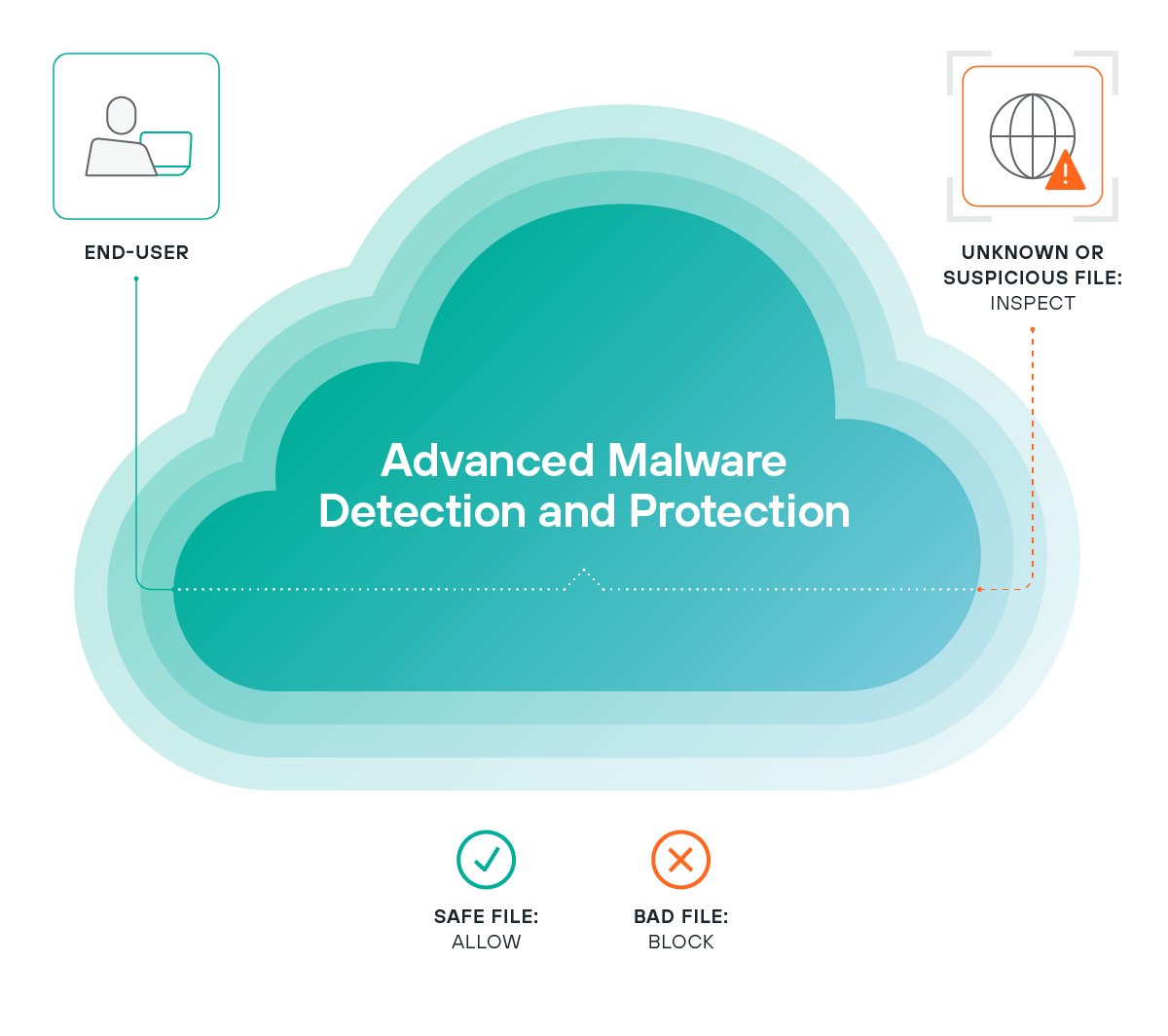
展开更多
案例介绍
暂无内容
版权/专利
暂无内容
评价

"客观"-"真实"-"中立"-"专业"点评,每项不少于20字,总字数不少于90字,帮助更多迷茫的IT人。点评完即可现金抽奖,满5个送笔记本/平板活动支架;10个送扫地机器人;20个送VIP视频会员。
评分标准及明细
0-20分
很糟糕功能/性能/服务等基本无法使用
20-40分
较差功能/性能/服务等存在较多问题
40-60分
一般行业同类平均水平,凑活够用
60-80分
还不错行业上游水平,能满足大部分使用需求
80-100分
优秀行业领先水平,只有20%左右评比对象满足这个标准
总评分
0.0分项目
评分
同类平均分
综合
0
0
兼容性
0
0
稳定性
0
0
易用性
0
0
性能
0
0
市场占有率
0
0
功能
0
0
扩展性
0
0
美观度
0
0
技术服务
0
0
性价比
0
0
时间排序↓
最新
精华
0 条评论

向我咨询

发表评论